Mailnatives
  2026-09-10 20:16:12
  3 min reading
Multilingual websites often face the same problem: the campaign is ready, the design works, the script is in place, but the text needs to be translated into other languages quickly and accurately.
That is precisely why Lexicon was created – a new Mailnatives application for creating, managing and automating translations of Mailocator campaigns.
It helps translate entire campaigns in a clear, consistent manner, without the need to manually search for individual text elements in the campaign settings.
How does it work?
Lexicon doesn’t just work with individual words. It translates whole sentences and specific text elements of the campaign – such as headings, descriptions, buttons, replies, input fields, placeholders or other text that the visitor sees in the campaign.
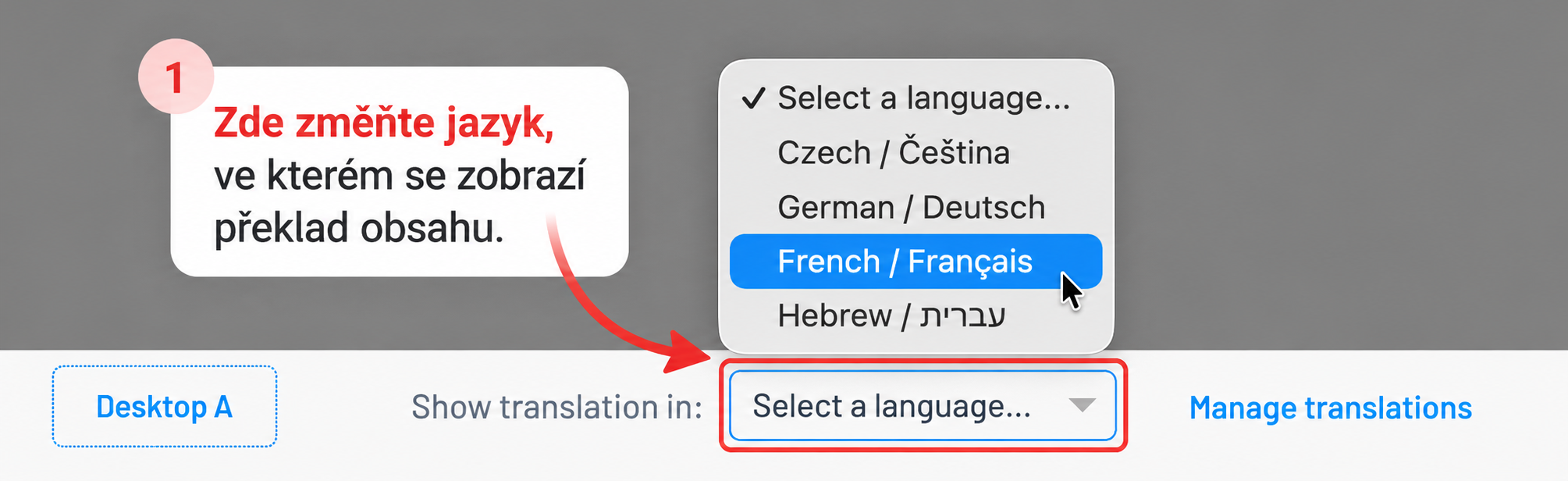
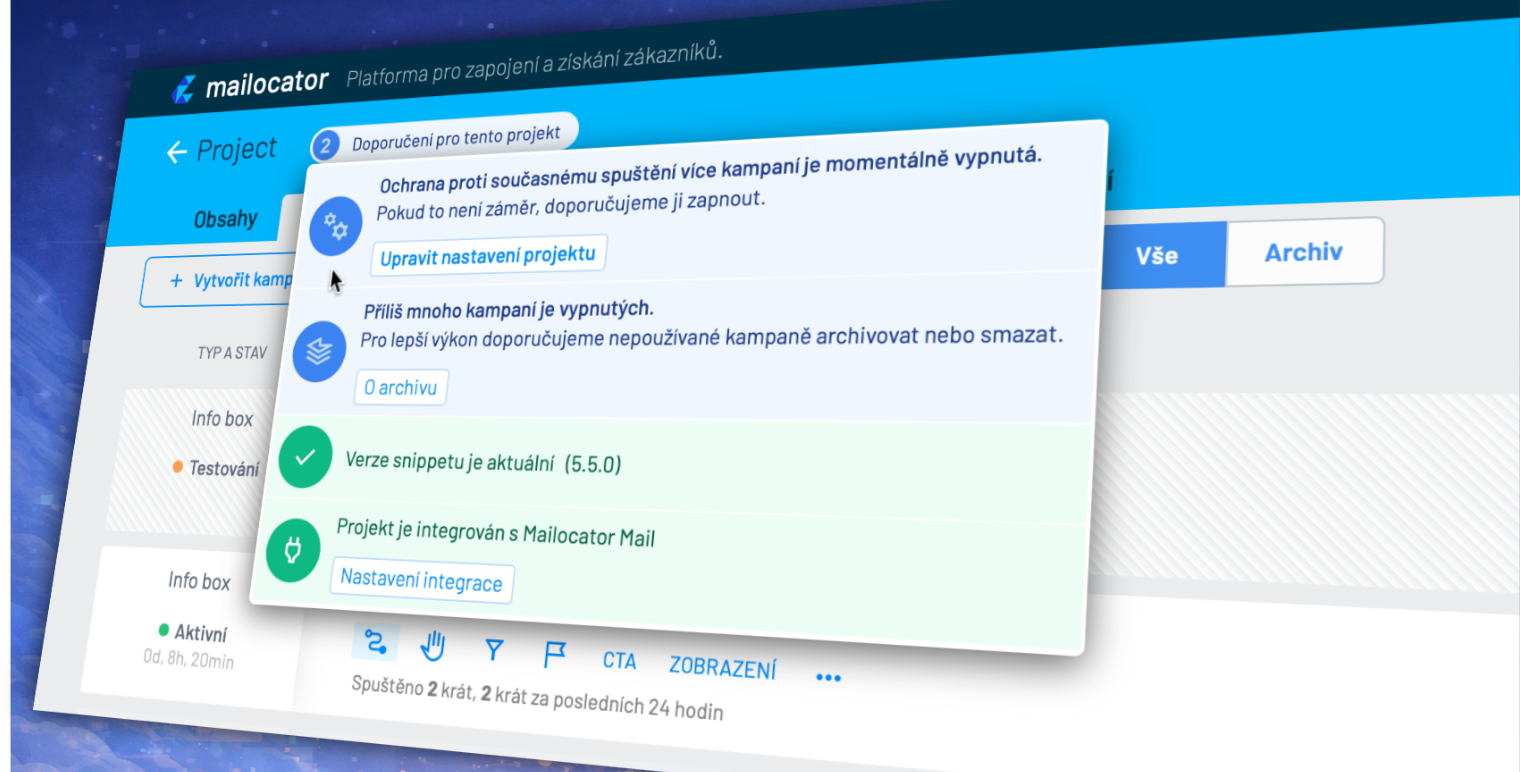
In the campaign preview in Mailocator, you simply click through to Lexicon, where you select or create a translation dictionary. You then select the desired language and Lexicon prepares the translation using the DeepL service.
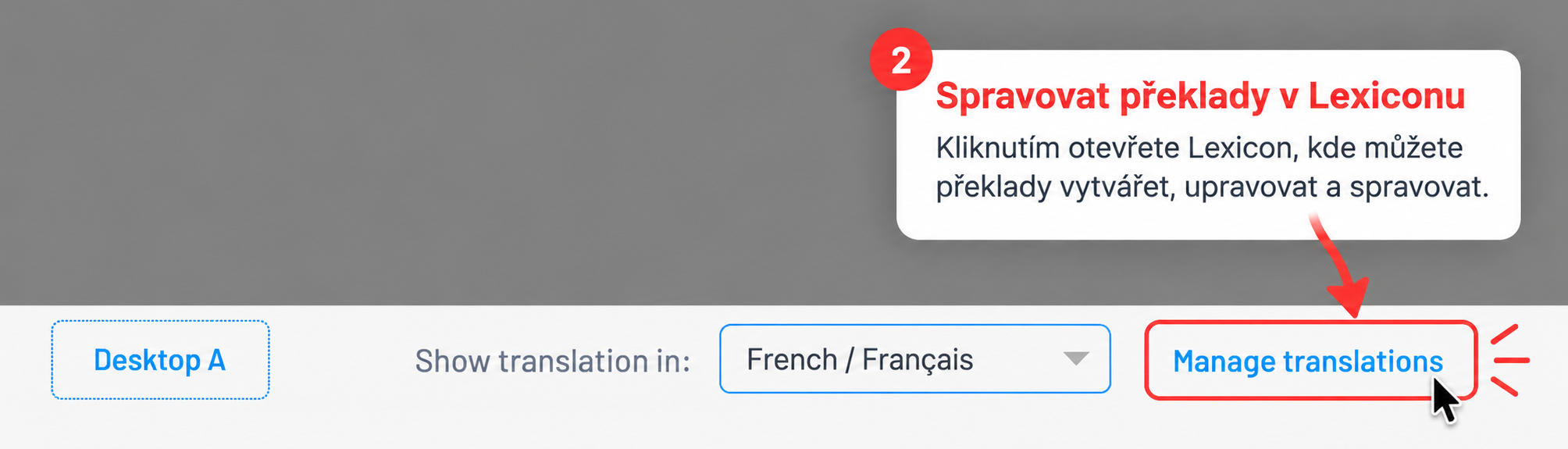
The translated text will then appear directly in the campaign preview in Mailocator, and you can use it for further work, proofreading or launching the campaign in that specific language version.
Ideal for multilingual websites and projects
Lexicon is primarily designed for projects that operate with multiple language versions of a website. These typically include online shops, travel agencies, content websites or brands operating in multiple countries.
You can therefore prepare a single campaign for multiple languages without having to create and manually maintain separate text variants.
This is useful, for example, for subscription campaigns, forms, scratch cards, exit-intent campaigns, infoboxes or other scenarios where it is not only the design itself that matters, but also the exact wording of the text.
Translations by specific campaign
Each campaign can have its own glossary and its own set of translations. This allows you to keep texts separate for different scenarios, brands, language versions or design variants.
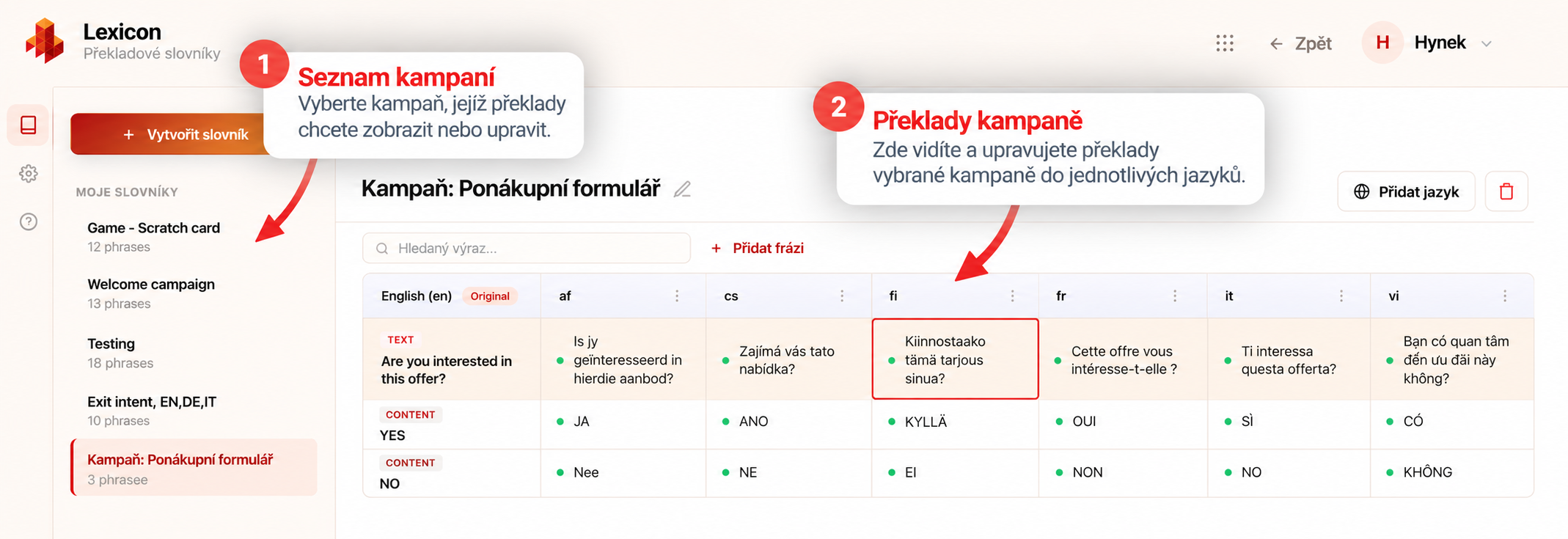
This is particularly useful when you don’t want to translate generic phrases out of context, but rather the specific campaign content exactly as it appears to the visitor.
Lexicon thus helps maintain consistency in texts, whilst leaving room for edits, proofreading and adaptation to specific uses.
What does Lexicon make easier?
- translating entire sentences and campaign texts,
- working with inputs, placeholders, buttons and responses,
- managing multiple languages in one place,
- automated translation using DeepL,
- subsequent proofreading and editing of translations,
- using the translated text directly in the Mailocator campaign preview.
You can get started straight from Mailocator
Lexicon is designed to integrate seamlessly with your day-to-day campaign work. You don’t need to search for texts manually or copy them between tools.
Simply open the campaign preview, go to the Lexicon, select a dictionary and add the language into which you wish to translate the content. The translation is then generated automatically and the language becomes available for further use in Mailocator.
This makes it possible to prepare multilingual campaigns more quickly, more clearly and with a lower risk of errors.